How to Create More Realistic AI Adult Videos
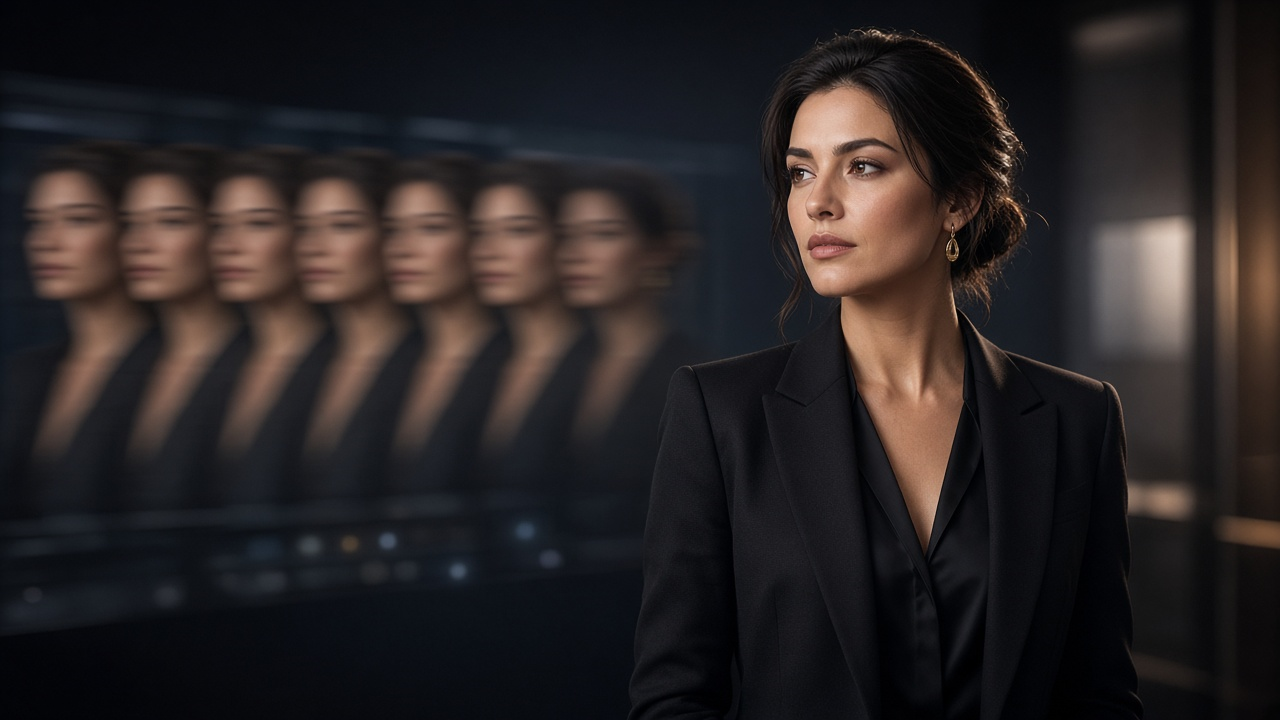
AI video generation has improved rapidly, but creating a convincing realistic AI porn video still takes more than uploading an image and pressing generate.
The biggest challenge is consistency.
An AI model has to maintain the same face, body proportions, lighting, background and visual details while simultaneously creating believable movement across multiple frames. When any of those elements change unexpectedly, the video can immediately look artificial.
Better results usually come from improving three things:
- the source image
- the generation instructions
- the amount and complexity of motion
This guide explains how to improve each part of the process and create more realistic AI adult videos from still images.
What Makes an AI-Generated Adult Video Look Realistic?
Realism isn't determined by resolution alone.
A high-resolution video can still look obviously AI-generated if the subject changes between frames or the movement doesn't behave naturally.
The most convincing AI adult videos usually maintain consistency across several areas.
Character consistency
The subject should look like the same person throughout the clip.
Common problems include:
- facial features changing
- hair shifting unexpectedly
- body proportions changing
- clothing or accessories disappearing
- hands or limbs becoming distorted
Natural movement
Motion should follow believable physical patterns.
Large or complicated movements are harder for an AI model to predict than subtle movements.
Stable lighting
Lighting that changes from frame to frame can make a video feel artificial even when the character itself looks convincing.
Background consistency
Objects in the background shouldn't suddenly move, disappear or transform unless the motion is intentional.
Temporal consistency
This refers to how well one generated frame connects to the next.
Good temporal consistency is one of the biggest differences between a basic AI animation and a realistic-looking AI video.
1. Start With a High-Quality Source Image
The quality of the starting image has a major effect on the final video.
Image-to-video AI uses the source image as its visual foundation. If that image already contains inconsistencies, the model has to interpret those problems while also predicting movement.
For better results, start with images that have:
- clear facial details
- realistic proportions
- good lighting
- sufficient resolution
- clean edges
- limited visual artifacts
- an uncluttered background
Avoid heavily compressed or blurry images whenever possible.
If you're starting specifically from a photo, see our guide on how to generate AI porn videos from a photo for a more complete image-to-video workflow.
2. Don't Ask the AI to Do Too Much at Once
One of the easiest ways to reduce realism is to request overly complicated movement.
For example, asking an AI model to simultaneously change:
- body position
- facial expression
- camera angle
- lighting
- background movement
- clothing movement
creates many opportunities for inconsistencies.
Instead, start with one or two clear movements.
A simpler animation might focus on:
- subtle body movement
- a gradual change in facial expression
- slight camera movement
- natural breathing or posture changes
Once you know the model can maintain consistency, you can gradually introduce more complexity.
3. Use Clear Motion Instructions
Prompts should explain what should move rather than only describing what is already visible.
For image-to-video generation, think about the difference between a descriptive prompt and a motion prompt.
A descriptive prompt tells the AI:
what the scene looks like.
A motion prompt tells the AI:
what should happen next.
For example, useful prompt information may include:
- movement direction
- speed
- camera behavior
- expression changes
- posture
- environmental movement
Clear instructions reduce ambiguity.
If you're experimenting with prompt structure, our AI porn prompts guide can help you build more controlled generation instructions.
4. Keep Motion Relatively Slow
Fast movement is harder to generate convincingly.
When a subject moves quickly, the model has to predict larger visual changes between frames.
That increases the possibility of:
- distortion
- inconsistent faces
- unusual body movement
- disappearing details
- unnatural transitions
Slower movement gives the model smaller changes to calculate between frames.
This often produces smoother and more realistic-looking results.
For initial generations, subtle movement is usually preferable to dramatic movement.
5. Keep the Camera Stable
Camera movement adds another layer of complexity.
If the subject is moving while the camera is simultaneously rotating, zooming or changing perspective, the model has to reconstruct significantly more of the scene.
For realistic AI adult video generation, try starting with:
- a static camera
- a slow zoom
- subtle camera movement
- gradual panning
Avoid dramatic camera transitions until you've confirmed that the model handles the source image reliably.
A stable camera also makes it easier to determine whether problems are coming from character animation or scene reconstruction.
6. Pay Attention to Hands and Complex Body Positions
Hands remain challenging for many generative AI models.
Complex poses can also create problems because the model has to understand how different parts of the body overlap and move through three-dimensional space.
When choosing a source image, look for:
- clearly visible body structure
- natural positioning
- limited overlap between limbs
- clearly defined hands when possible
Simpler poses tend to produce more consistent animation.
Once you've found a generation setup that works, you can experiment with more complex compositions.
7. Use Consistent Lighting
Lighting influences almost every part of an image.
If the source contains multiple competing light sources, the video generator may struggle to maintain them consistently as the subject moves.
Soft, consistent lighting generally gives the AI fewer variables to interpret.
Look for source images where:
- the subject is clearly separated from the background
- facial features aren't hidden in extreme shadow
- highlights aren't heavily overexposed
- light direction is understandable
Realistic lighting often contributes more to perceived realism than simply increasing resolution.
8. Avoid Overly Complicated Backgrounds
Image-to-video models aren't only animating the primary subject.
They also have to predict what happens to everything else in the scene.
A complex background containing many objects gives the model more opportunities to introduce visual artifacts.
For example, backgrounds with:
- crowds
- mirrors
- detailed furniture
- complex patterns
- text
- reflections
can be more difficult to maintain consistently.
Simpler environments usually produce cleaner results.
This doesn't mean the background has to be empty. It simply shouldn't compete with the main subject for visual complexity.
9. Generate Several Variations
AI generation involves randomness.
Two videos generated using exactly the same source image and similar prompts can produce noticeably different results.
Because of this, don't assume the first generation represents the maximum quality the model can produce.
Generate several variations and compare:
- facial consistency
- body movement
- background stability
- motion smoothness
- overall realism
Sometimes a generation will produce significantly better temporal consistency simply because of how the model interprets the prompt.
10. Change One Variable at a Time
If a generated video isn't working, avoid changing everything at once.
Instead, change one factor.
For example:
Generation 1: Original prompt.
Generation 2: Same prompt, slower movement.
Generation 3: Same movement, simplified camera instruction.
Generation 4: Same instructions, improved source image.
This helps you determine what actually improves the output.
If you rewrite the entire prompt after every generation, it becomes difficult to know which change produced the better result.
11. Use Image-to-Video When Character Consistency Matters
Text-to-video generation begins with a written description.
Image-to-video generation begins with an existing visual reference.
When maintaining the appearance of a specific generated character matters, starting from an image can provide the model with a clearer visual foundation.
The image already establishes:
- face
- hairstyle
- body shape
- clothing
- setting
- lighting
- composition
The model's primary job then becomes generating movement rather than inventing the entire scene from scratch.
For this type of workflow, you can use an NSFW image-to-video AI generator to animate an existing adult AI image.
12. Don't Confuse Detail With Realism
Adding more details doesn't always make an AI video more realistic.
A highly complex prompt may actually introduce contradictions.
For example, requesting numerous movements, camera effects and environmental changes at the same time gives the model more opportunities to make mistakes.
Realism often comes from restraint.
A simple scene with:
- convincing lighting
- consistent identity
- natural movement
- stable framing
can look significantly more realistic than a technically more ambitious generation.
Common Problems That Make AI Adult Videos Look Artificial
Facial changes
If the character's face changes during movement, try reducing motion complexity or using a clearer source image.
Flickering
Flickering usually indicates poor consistency between generated frames.
Simpler movement or a more stable background may help.
Unnatural movement
Reduce the speed or complexity of the requested action.
Changing body proportions
Use a clearer source image with a natural pose and reduce large movements.
Background distortion
Simplify the scene or avoid major camera movement.
Loss of small details
Small accessories, patterns and fine textures can be difficult for video models to maintain consistently.
If those details aren't important, simplifying the source image can produce a more believable result.
Image-to-Video vs. Text-to-Video for Realistic Adult AI
| Image-to-Video | Text-to-Video |
|---|---|
| Starts from an existing visual reference | Starts from a written description |
| Better control over starting appearance | More freedom when creating a new scene |
| Useful for character consistency | Useful for completely new concepts |
| Source image determines composition | AI determines much more of the composition |
| Good for animating an existing character | Good for experimentation |
If realism and character consistency are your priority, image-to-video is often the easier starting point.
If you're creating a scene entirely from scratch, an AI porn generator may provide a more appropriate starting workflow.
A Simple Workflow for More Realistic Results
A practical process looks like this:
Step 1: Choose the strongest source image
Start with a clear, realistic image with good lighting and minimal artifacts.
Step 2: Decide on one primary movement
Don't begin with an overly complex sequence.
Step 3: Write a concise motion prompt
Describe what should move and how it should move.
Step 4: Generate several versions
Compare the outputs instead of relying on the first result.
Step 5: Identify the main problem
Is it the face, movement, background or camera?
Step 6: Change one variable
Modify the prompt or image based on the specific issue.
Step 7: Repeat
Small iterative improvements usually produce better results than radically changing the generation setup each time.
For a more complete beginner workflow, see how to make AI porn videos.
Can AI Porn Videos Look Completely Real?
AI video quality continues to improve, but no generator produces perfect results in every situation.
The more complicated a scene becomes, the harder it is for an AI model to maintain complete consistency.
Current systems generally perform better when:
- the starting image is high quality
- movement is controlled
- scenes aren't overly complicated
- prompts are clear
- generation length is manageable
The goal shouldn't necessarily be maximum movement or complexity.
For many generations, consistency is what creates realism.
Use AI Adult Content Responsibly
Realistic AI generation creates additional responsibilities.
Only use source images and materials you have the appropriate rights and consent to use.
Do not use AI tools to create intimate or sexualized material depicting real people without their consent, and never create sexual content involving minors.
When working with realistic AI-generated people, it is also important to avoid presenting fabricated material in ways that intentionally mislead viewers about a real person's actions.
Create Realistic AI Videos From an Image
If you already have an adult AI image and want to turn it into motion, SpicyLab's NSFW image-to-video generator provides a workflow specifically for converting still images into AI-generated video.
For other adult generation workflows, you can also explore the AI porn generator or browse available NSFW AI tools.
The most realistic results rarely come from simply increasing the complexity of a generation.
Start with a strong image, use controlled movement, keep your prompts clear, and refine one element at a time.
Frequently Asked Questions
How do you make an AI porn video look more realistic?
Start with a high-quality source image, use simple and natural motion, keep camera movement controlled, maintain consistent lighting, and generate several variations. Character and frame consistency usually matter more than adding complex movement.
Why does my AI video change faces?
AI video models have to reconstruct the subject across multiple frames. Large movements, unclear source images and complicated scenes can cause facial details to drift during generation.
Is image-to-video better for realistic AI adult videos?
Image-to-video can be useful when you want to preserve the appearance of an existing AI-generated character because the initial image provides the model with a visual reference.
Why do AI-generated adult videos look distorted?
Distortion can result from difficult poses, fast movement, complex backgrounds, inconsistent source images or the model struggling to maintain the same anatomy across frames.
Can better prompts improve AI video realism?
Yes, but prompt complexity isn't always better. Clear instructions describing a small number of believable movements generally give the AI less ambiguity and can improve consistency.
Should I use a high-resolution image for AI video generation?
A clear, sufficiently detailed source image can help the model understand facial features, body structure, lighting and the surrounding scene. However, image quality is only one factor; motion complexity and model quality also affect the final result.