How to pay for subscription using Bank Card via Telegram
Just 5 simple steps — Get instant full access to SpicyLab 🌶️
Go to the subscription page and select the plan you want. After selecting a plan, choose the "Telegram Card".
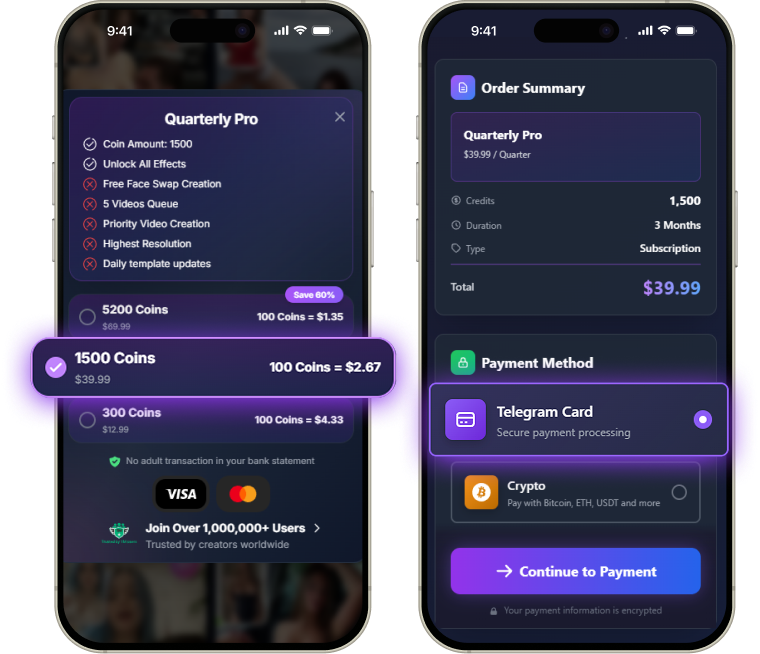
After choosing "Telegram Card", you will be instantly redirected to Telegram, where a payment popup for your SpicyLab subscription will appear.
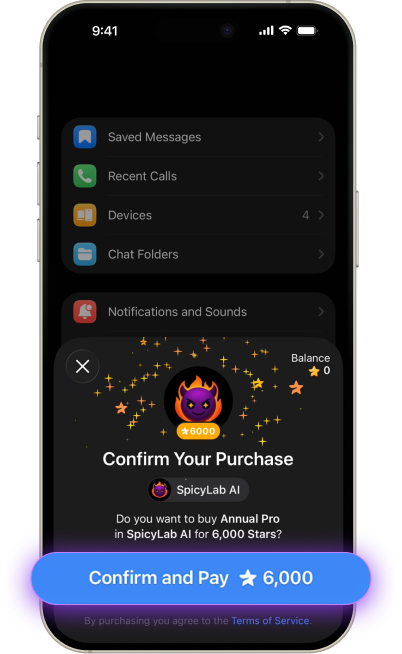
Since you don't have any Stars yet, you need to purchase Stars — it takes 6,000 Stars to proceed.
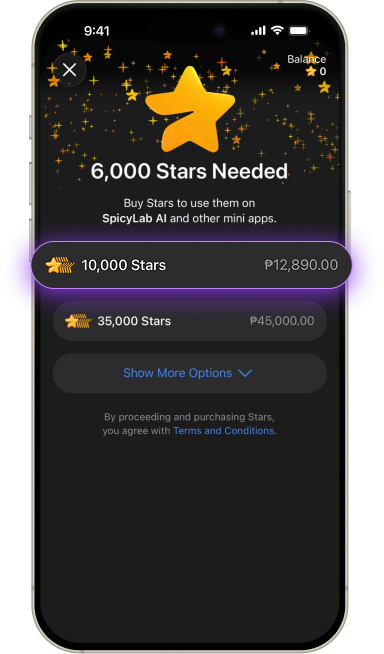
- Bank card
- Google Pay
- Apple Pay
- Or other available methods
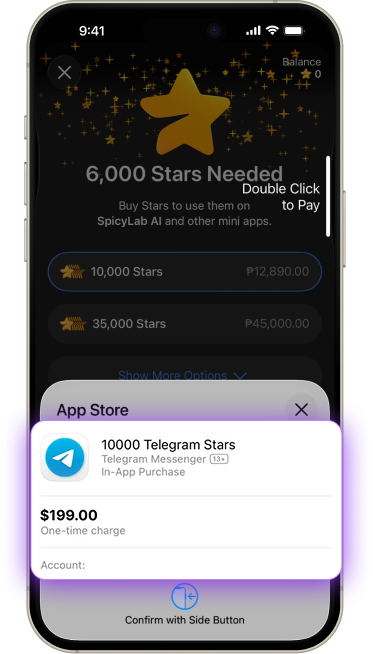
Right after the purchase, Stars will be automatically deducted and your SpicyLab subscription will be activated! 🎉
Note: Sometimes Stars may not be automatically used for the subscription. In this case, simply return to the subscription page and repeat Step 1 and Step 2.
Important Tips
- 1
If Stars were not automatically deducted for the subscription
Simply return to the subscription page and repeat Step 1 and Step 2. This usually solves the issue.
- 2
Can't pay with your card?
Try using Apple Pay or Google Pay in the Telegram mobile app. You can also try the web version of Telegram. If it still doesn't work, you can easily pay with Cryptocurrency instead.
- 3
Price may vary slightly due to Telegram's fees
The final amount may be a bit higher than shown on the website. We don't add any extra markup — this is purely Telegram's commission.
- 4
Didn't receive your credits after payment?
No problem! Just message our support @spicylabsupport — we will manually add the credits within a few minutes.
Still have questions about payment using bank card via Telegram?
Write to our support in Telegram and our manager will help you complete the payment live!
Contact Support