AI Porn Video Maker: How to Create Better Adult AI Videos
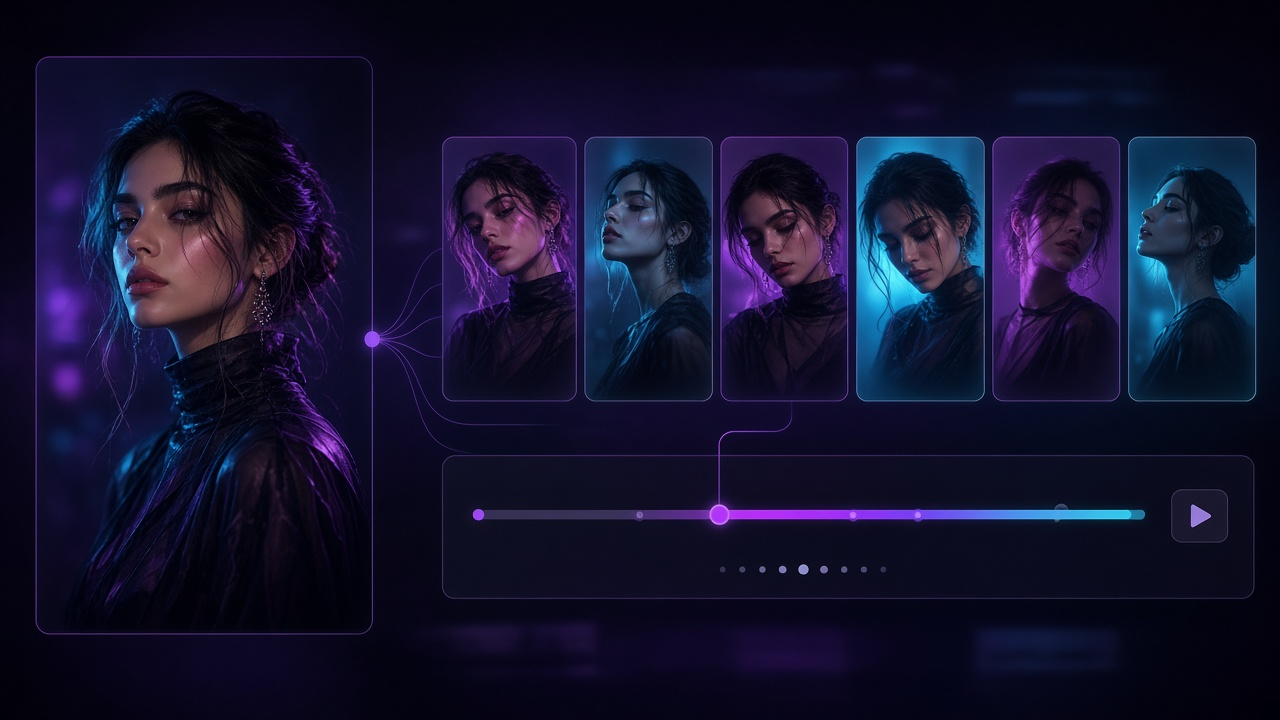
An AI porn video maker gives creators a way to turn ideas, existing images, or AI-generated visuals into adult video without relying on conventional animation or video-editing workflows. But creating an AI video is different from generating a single image. A still image only needs to remain visually consistent once. Video requires the AI to maintain characters, lighting, composition, movement, and background details across many consecutive frames. That is why getting better results is often less about writing longer prompts and more about improving the entire generation workflow. This guide explains how adult AI video creation works, what affects output quality, and how to build a more consistent process from source image to final generation.
What Is an AI Porn Video Maker?
An AI porn video maker is a generative AI system designed to create or animate adult video content. Depending on the platform, it may work through:
- text-to-video generation
- image-to-video generation
- predefined adult templates
- uploaded source images
- AI-generated characters
- customizable prompts.
These methods approach video generation differently. Text-to-video requires the AI to create both the visual scene and the movement. Image-to-video gives the model an established visual starting point. Templates simplify the process further by providing a predefined generation concept. Users looking for a broader introduction to these workflows can also read our guide on how to create porn with AI, which explains how image generation, video creation, prompts, and templates fit together. For a beginner-oriented video walkthrough, see how to make AI porn videos.
How an Adult AI Video Generator Works
An adult AI video generator predicts how a scene should change over time. Instead of simply editing an uploaded video, the model generates new visual information across multiple frames. That can involve predicting:
- character movement
- facial consistency
- body positioning
- camera movement
- background behavior
- changes in lighting.
The difficulty increases as the amount of movement increases. A relatively stable scene requires fewer visual changes between frames than a scene involving major movement, dramatic camera changes, and a highly detailed background. Understanding that limitation helps explain why controlled input often produces stronger results.
1. Decide How You Want to Start
There are three common starting points for adult AI video.
Start from text
You describe the intended scene and allow the AI to generate everything. This offers flexibility but also gives the model the most work to do.
Start from an image
You provide an existing visual. The AI already knows:
- what the character looks like
- how the scene is composed
- where the subject is positioned
- what lighting is present
- what visual style to preserve.
This can provide greater consistency.
Start from a template
A template provides an established generation concept. Templates can reduce the amount of prompting required and make the creation process easier for users who already know the type of video they want.
2. Choose a Strong Source Image
When an AI porn video maker starts from an image, the quality of that input can affect the entire generation. A good source image should ideally have:
- clear subjects
- sufficient resolution
- balanced lighting
- understandable positioning
- limited compression
- relatively clean composition.
Poor input creates uncertainty. If the original image already contains distorted anatomy, unclear facial features, or confusing visual overlaps, animation may make those weaknesses more noticeable. Source-image preparation is therefore one of the easiest ways to improve video generation without changing models or prompts.
3. Use Image-to-Video When Character Consistency Matters
Image-to-video is particularly useful when you already have a character or scene you want to preserve. Instead of asking the AI to recreate that character from a text description every time, the existing image acts as a direct visual reference. An NSFW image-to-video generator can be used when the main objective is turning an existing adult image into an animated sequence. This workflow can be especially useful for:
- maintaining a recognizable character
- preserving visual style
- keeping the same environment
- testing different movement variations.
It does not guarantee perfect consistency, but it reduces the amount of visual information the AI needs to invent from scratch.
4. Keep the First Generation Simple
Complex video is harder for generative models. If your first attempt combines:
- major character movement
- dramatic camera movement
- changing expressions
- shifting backgrounds
- changing lighting
the model has to solve several difficult problems simultaneously. Start with a simpler objective. For example:
- keep the camera mostly stable
- use moderate movement
- maintain the existing composition
- avoid unnecessary background changes.
Once the generation is stable, additional complexity can be introduced gradually.
5. Treat Prompts as Motion Instructions
Prompts work differently for video than they do for still images. An image prompt largely describes what should appear. A video prompt should also describe what should happen. Useful instructions can cover:
- movement
- pacing
- camera behavior
- expression
- stability.
The source image already communicates much of the visual appearance. There is often little benefit in describing every detail again. Instead, focus on what should change between the first and final frames.
6. Avoid Overloading the Prompt
More instructions do not automatically produce greater control. Long prompts can contain conflicting priorities. For example, a prompt might ask for:
- strong movement
- completely stable composition
- rapid camera changes
- unchanged perspective.
Those instructions may compete. A better approach is to decide which characteristics matter most. If character consistency is the priority, reduce unnecessary movement. If cinematic camera movement matters most, keep other elements relatively simple. Prompting works best when the model has a clear hierarchy of instructions.
7. Use an AI Porn Video Generator for an Adult-Focused Workflow
Mainstream AI video tools are often developed for:
- advertising
- filmmaking
- avatars
- social media
- product animation.
Adult generation has different requirements and may not be supported by general-purpose platforms. An ai porn video generator provides a more relevant workflow for users specifically working with adult AI content, including image-based generation and adult-oriented templates. The advantage is not simply the ability to generate video. It is having the generation workflow aligned with the type of content being created.
8. Generate More Than One Version
AI output varies. Even when the source image and prompt remain largely unchanged, different generations can produce noticeably different results. One version may have:
- stronger motion
- better facial consistency
- cleaner lighting.
Another may preserve:
- composition
- character appearance
- background details more successfully.
Do not assume the first generation represents the best result the model can produce. Test several controlled variations before making major changes to your workflow.
9. Evaluate Motion, Not Just Image Quality
One common mistake when comparing an AI porn video maker is concentrating too heavily on individual frames. A frame can look excellent while the complete video remains visually unstable. Watch the whole sequence. Look for:
- sudden changes in appearance
- unnatural transitions
- inconsistent proportions
- flickering
- background changes
- lighting shifts.
Video quality is about temporal consistency, not just resolution. That is why a slightly less detailed video with stable motion can sometimes look more convincing than an extremely detailed video with obvious visual drift.
10. Control Camera Movement
Camera movement adds another layer of complexity. When the camera changes position significantly, the AI may need to generate parts of the environment that were not visible in the original image. That means more visual information has to be invented. For initial generations, try:
- fixed framing
- subtle zoom
- slow movement
- limited perspective change.
Once you know the character and motion remain consistent, you can experiment with more complex camera behavior.
11. Keep Background Complexity Manageable
Every object visible in a scene becomes something the AI may need to preserve across frames. Highly detailed backgrounds can therefore contribute to:
- flickering
- disappearing objects
- changing shapes
- unstable textures.
Cleaner backgrounds reduce the number of visual relationships the model has to maintain. If the subject is the main focus, there is often little benefit in making the environment unnecessarily complicated.
12. Use an Adult AI Video Generator for More Than One Workflow
An adult AI video generator can fit into several creation workflows. For example:
Image-first workflow
- Generate or choose an image.
- Review its quality.
- Animate it.
- Test variations.
Template-first workflow
- Choose a video template.
- Find a suitable image.
- Apply the template.
- Generate.
Idea-first workflow
- Define the scene.
- Create the image.
- Refine the image.
- Move into video.
The best workflow depends on whether you already have a visual starting point.
13. Improve Character Consistency
Character drift remains one of the biggest challenges in AI-generated video. A character may change subtly as the clip progresses. Common signs include:
- changing facial shape
- inconsistent hair
- changing skin tone
- shifting proportions.
There are several ways to reduce the problem:
- use a cleaner source image
- reduce movement
- shorten the generation
- limit camera changes
- avoid extremely complex scenes.
These techniques reduce the amount of new information the model must generate.
14. Choose Video Length Carefully
Longer AI video is not automatically better. Maintaining consistency becomes more difficult as more frames are generated. If a short generation is stable but a longer one begins to drift, the additional duration may be the problem rather than the source image. Shorter clips are useful for:
- testing prompts
- comparing models
- evaluating source images
- experimenting with movement.
Once the basic generation works, longer output can be tested.
15. Compare Realism and Consistency Separately
Users often describe one output as more realistic because it contains more detail. But detail and consistency are different. A video may have highly realistic individual frames yet still feel synthetic because visual details change constantly. Evaluate realism through:
- texture
- lighting
- facial detail.
Evaluate consistency through:
- stable identity
- coherent anatomy
- continuous movement
- background stability.
Both matter. For adult AI video, however, consistency often has the larger impact on whether the final clip feels believable.
16. Use Specialized Tools When Necessary
No single AI tool needs to perform every part of the creation process. You may use one tool to create the source image and another for animation. Users interested in broader scene-oriented adult generation can also use an AI sex generator when the desired workflow extends beyond general image animation. The goal should be to select tools based on what each stage requires. This modular approach often provides more control than forcing one model to create everything from scratch.
17. Learn From Failed Generations
A poor generation is still useful if you identify why it failed. Ask:
- Did the face change? The motion or generation length may be too complex.
- Did the background change? The scene may contain too much visual detail.
- Did the motion feel unnatural? The prompt may need clearer pacing instructions.
- Did the entire character look unstable? The source image may be weak.
- Change one variable and test again.
That gives you meaningful information about what the model is responding to.
18. Compare AI Video Tools Based on Usable Results
The best AI system is not necessarily the one with the most impressive demo. A useful evaluation should consider:
- consistency
- generation time
- source-image compatibility
- output quality
- prompt control
- available templates
- privacy
- price.
Generation cost should also be evaluated against success rate. A cheap generator that requires many attempts to produce one usable result may ultimately be less economical than a stronger tool.
19. Review Privacy Before Uploading Images
Adult-content generation often involves sensitive source material. Before uploading an image, understand:
- whether it is stored
- how long it remains stored
- whether it becomes publicly visible
- whether it can be deleted
- whether uploads may be used for model training.
Only use images you have appropriate rights and permission to use. Do not create sexualized content involving identifiable real people without their consent, and never generate sexual content involving minors.
Building a Better Adult AI Video Workflow
The best results from an AI porn video maker usually come from improving the workflow rather than repeatedly searching for a perfect prompt. Start with:
- a strong source image
- an appropriate generation method
- clear motion instructions
- manageable movement
- several controlled variations.
Then compare the full videos rather than individual screenshots. If one stage consistently creates problems, improve that stage instead of rebuilding everything. Platforms such as Spicylab AI make it possible to explore different adult AI generation workflows and templates from one broader creation ecosystem. The more systematic your process becomes, the easier it is to understand which inputs actually improve quality.
Frequently Asked Questions
What is an AI porn video maker?
It is a generative AI tool or workflow that creates adult video using text instructions, source images, templates, or image-to-video technology.
How is an adult AI video generator different from a normal AI video generator?
Adult-focused generators are designed around NSFW creation workflows, while general AI video platforms are usually built for mainstream use cases such as advertising, film, avatars, or social content.
Can an AI image be turned into an adult AI video?
Yes. Image-to-video systems can use an existing generated image as the starting frame and create additional frames around it.
Does a better source image improve AI video?
Usually. Clearer source information gives the model more reliable details to preserve throughout the generation.
Why does an AI character change during a video?
The model is generating new information over time. Complex movement, long clips, changing camera angles, and weak source images can make character consistency more difficult.
Are longer prompts better?
Not always. Prompts with many competing instructions may be harder for the model to follow than a focused prompt with one clear motion objective.
How many variations should I generate?
There is no fixed number, but comparing several controlled outputs is useful before making major changes to the source image or prompt.
What matters most for realistic AI video?
Source-image quality, character consistency, coherent motion, stable lighting, background consistency, and frame-to-frame continuity all contribute to perceived realism.
Kendi yapay zeka porno videonu oluşturmaya hazır mısın?
Bir şablon seç, bir fotoğraf yükle ve videonu saniyeler içinde al.
Şablonlara Göz At